


Speak.
Let it flow.
The AI keyboard for iPhone that swipes, types, and takes dictation in 100+ languages, then polishes every word.
- No More Switching Apps
- Type or Swipe in Several Languages
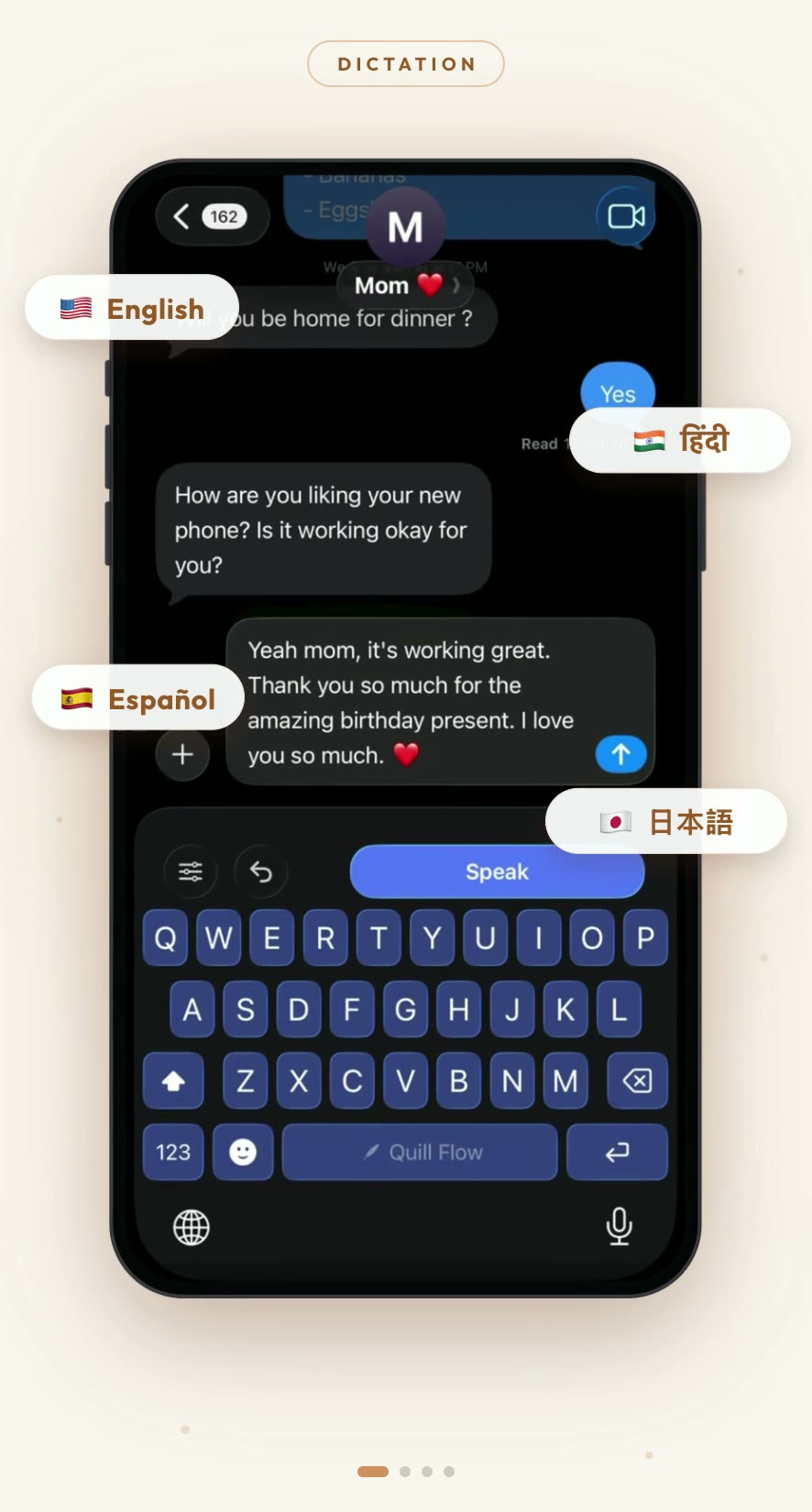
- 100+ dictation languages
- Works in every app
One keyboard · Three moves
Swipe it. Type it. Say it.
However the words want to come out, Quill Flow keeps up and polishes them on the way to the page.
Glide typing
Swipe it
Slide across the keys and Quill Flow decodes the word, with live candidates as you go. Built on an 82,000-word vocabulary that knows real texting, from brand names to “ngl”.
Smart autocorrect
Type it
Tap-typing with autocorrect that actually helps: next-word suggestions, a personal dictionary for your names and jargon, text shortcuts, and fixes for the typos you always make.
AI dictation
Say it
Hold the mic and talk like a human. Quill Flow strips the “um”s, adds punctuation, and hands back text that sounds like you on a good day, in 100+ languages.
Everything you need to write by voice
Quill Flow is more than dictation. It's an AI writing assistant that lives in your keyboard.
AI-Powered Formatting
Punctuation, capitalization, and grammar handled automatically. Filler words and false starts never make it to the page.
19 Tones, One Tap
Professional, Casual, Concise. Or Gen Z, Pirate, and Zen. Rewrite anything you said in the voice you meant.
Context-Aware Writing
Detects whether you're in an email, a chat, or your notes, and formats to match.
Personal Dictionary
Teach it your names, brands, and shortcuts. Map your usual typos to the fix you actually meant.
Voice Notes
Ramble into the Notes tab and get a clean, structured note back, with rewrite styles for every occasion.
Smart Silence Filtering
Voice Activity Detection trims pauses and dead air, so thinking time never becomes awkward text.
Lightning-Fast
Transcription lands in milliseconds. Your words appear about as fast as you can say them.
Works Everywhere
A full keyboard extension: iMessage, WhatsApp, Gmail, Slack, Notes. If you can type there, you can flow there.
Speak in any tone you want
Multilingual, properly
Speaks your language. All of them.
100+
dictation languages
Speak in any of them, and Quill Flow can even auto-detect which.
19
keyboard languages
Typing and autocorrect everywhere, swipe typing in 17.
35
app interface languages
The whole app is localized, right-to-left included.
…and dozens more, regional variants included.
Type and swipe in 19 languages
Each with its own layout, autocorrect, and word predictions. New: run two languages at once and they share a single dictionary.
Hinglish? Bilkul.
Mix languages mid-sentence. Quill Flow keeps up.
Dedicated Hinglish dictation, plus an English (India) keyboard tuned for code-switching.
The app itself speaks 35 languages

Not just the dictation. Every screen, setting, and notification is localized. From Arabic to Vietnamese, with full right-to-left layouts for Arabic and Hebrew.
- Follows your iPhone language automatically
- Or pick a different one in Settings
- RTL-ready: Arabic & Hebrew
Up and running in 30 seconds
Install the Keyboard
Add Quill Flow from Settings → Keyboards. Takes 30 seconds.
Swipe, Type, or Tap the Mic
Open any app and write however you like: glide across the keys or just start talking.
Watch It Flow
Clean, formatted, ready-to-send text. No 'um', no typos, no cleanup pass.
Frequently Asked Questions
Everything you need to know about Quill Flow.

Your words,
perfectly captured.
Download Quill Flow for iPhone today, and get in line for Mac and Android while you're here.
Free to use. No credit card required.