Keyboard themes for iPhone
Spider-Man keyboard themes you can actually type on.
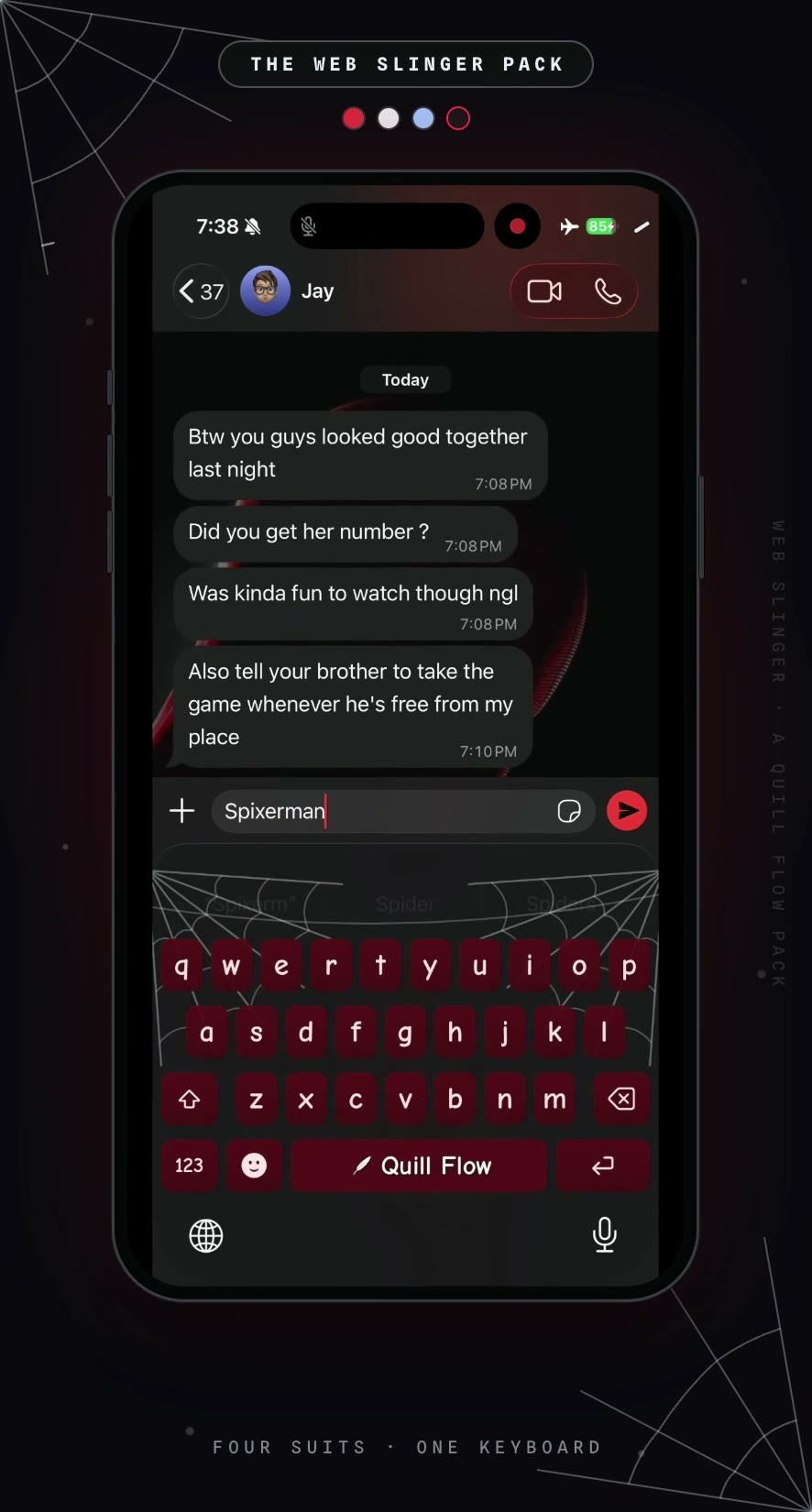
Four suits, four full keyboard themes. Crimson keys, corner silk, and a web-line trail that follows your finger when you swipe. Not a wallpaper behind your keys. The keys themselves.
Four suits · Works in every app · iPhone
Yes, you can put Spider-Man on your keyboard.
iOS does not let you theme the stock Apple keyboard, which is why almost every “Spider-Man keyboard” you find online turns out to be a wallpaper. The way to actually do it is with a third-party keyboard. Quill Flow is a full iPhone keyboard with four Spider-Man suit themes built in, so the keys, the press glow, the suggestion bar, and the swipe trail all change together.
It takes about two minutes to set up, and the theme follows you into every app you type in.
How to get a Spider-Man keyboard on iPhone
- 01
Download Quill Flow
It is a free download from the App Store and works on iPhone and iPad.
- 02
Add the keyboard
Open Settings, then General, Keyboard, Keyboards, Add New Keyboard, and pick Quill Flow. Turn on Allow Full Access so themes and swipe typing work.
- 03
Open the theme picker
In the Quill Flow app, go to Settings and tap Customize Keyboard, then the Themes tab. On older versions the same page is called Keyboard Appearance.
- 04
Pick your suit
Choose Spider-Man, Miles Morales, Symbiote, or 2099. The change applies instantly, everywhere you type.
Four suits, four keyboards
Each theme is a hand-tuned palette that keeps its identity in both light and dark mode, and every one swipes with the same twin-strand silk trail.
Spider-Man
The classic suit: crimson keys, suit-blue return key, and silk-white webs in the corners. Every press flashes red.
Miles Morales
Graphite black with a bio-electric crimson crackle, and a venom-blast spark when you type his name.
Symbiote
The black suit: near-black keys, liquid-silver accents, and a ghost-pale glow under every keypress.
Spider-Man 2099
Miguel O'Hara's deep navy and talon red, with a swipe trail that glows holographic blue instead of white.
A wallpaper sits behind your phone. This sits under your thumbs.
Search for a Spider-Man keyboard and you mostly get lock screen art. Here is what changes when the theme is a real keyboard instead.
Every key, not the background
Key fills, pressed states, gradients, and the return key all take the suit's colors. The suggestion bar matches too.
The swipe trail is silk
Glide across the keys and you leave twin strands with cross-rungs behind, exactly like a web line. On 2099 it glows holographic blue.
It reacts to what you type
Type the right word and the keyboard answers with a web shot, a swing, or a spark. A wallpaper cannot do that.
Hidden effects, triggered by words
With a Spider-Man theme on, some words do more than land on screen. Type them, swipe them, or tap them off the suggestion bar.
Web shot
Silk lines fire toward the top corners of your keyboard.
Web swing
A strand anchors and swings clear across the keys.
Venom blast
A bio-electric crackle jumps from the word you just typed.
Glow wave
The word's own keys pulse back at you in letter order.
Effects fire once per family every ten seconds, and they sit out entirely under Reduce Motion.
It spells the whole cast correctly
Turning on a Spider-Man theme also teaches the keyboard the names. Autocorrect and swipe typing both learn the full cast, with the right hyphens, apostrophes, and capitals, so you stop fighting your phone every time you type Spider-Gwen or O’Hara.
Switch to any other theme and the names bow out again.
Frequently Asked Questions
Suit up.
Quill Flow is free on the App Store. Install it, pick your suit, and start typing.
Curious what the pack looks like in motion? See the Web Slinger pack.